0:00 — 0:15
01. Sign in or sign up
Email + password. Or one-tap with Google. Existing FitSync user? Your data is already there.
Beginner-friendly walkthrough. Two platforms. Zero downloads. After install, FitSync opens full-screen and works offline — exactly like a native app from the App Store.
Real screenshots from a real iPhone. Use Safari — iOS only lets Safari add things to your home screen. (Screenshots happen to be in Danish; we've translated every label so you know exactly what to tap.)
Type fitsync.fitness into Safari's address bar. You'll land on the FitSync sign-in screen. Now look at the bottom tab bar — at the far right is the ••• (more) button. Tap it.
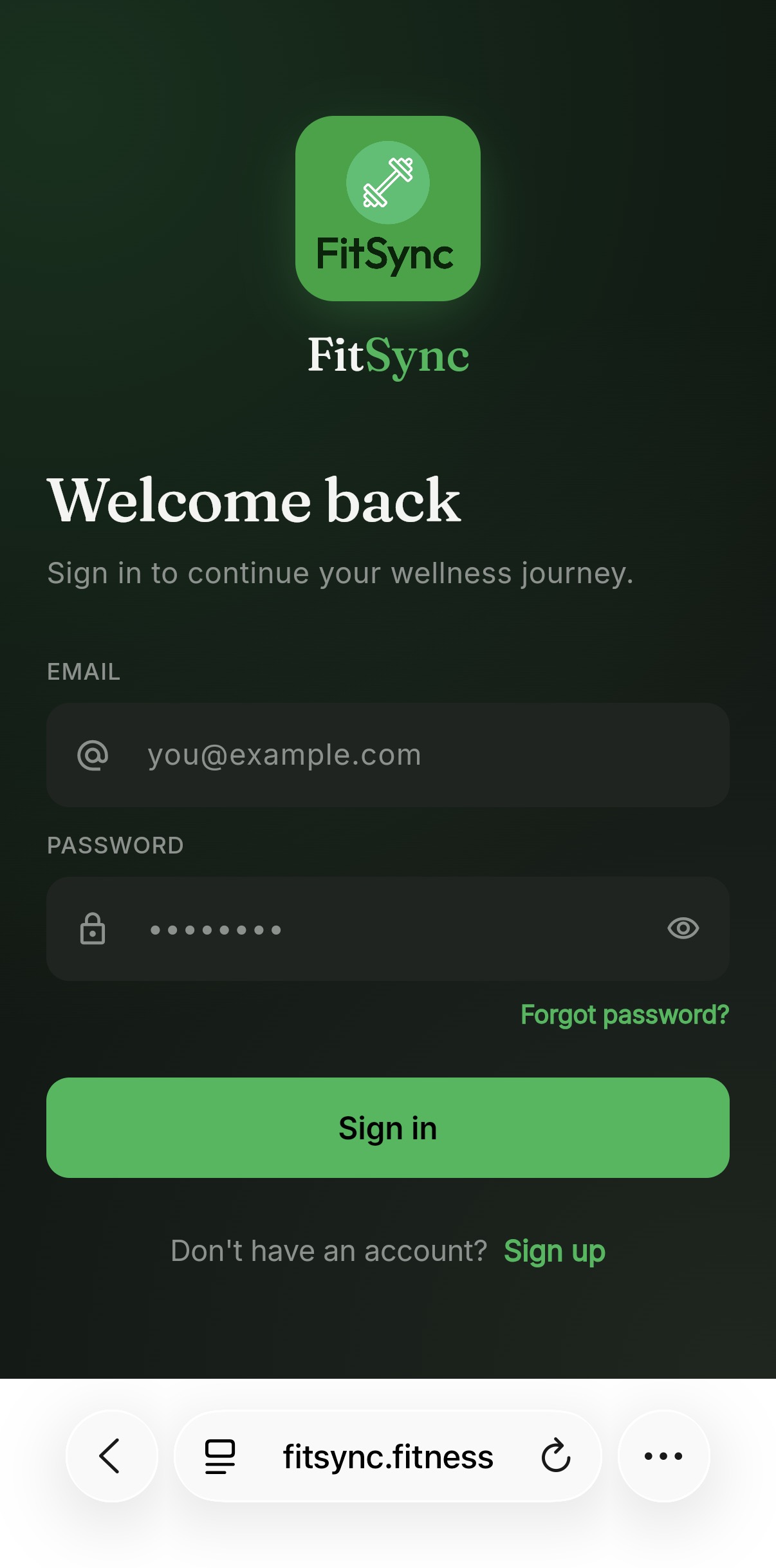
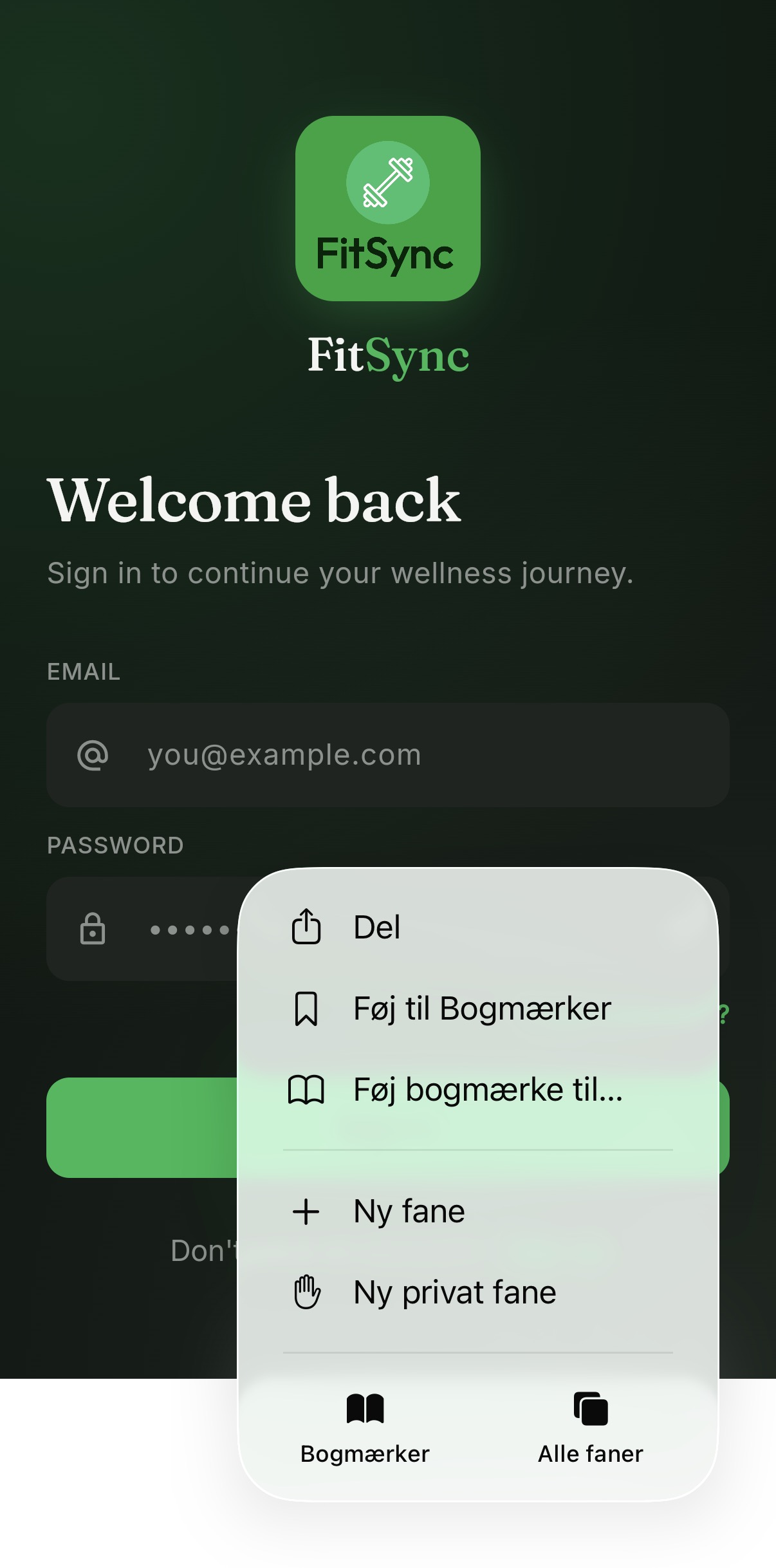
A small menu pops up over the page. The very first row is the Share button — a square with an up-arrow. (On a Danish phone it reads Del. Same icon, same row, every language.) Tap it.
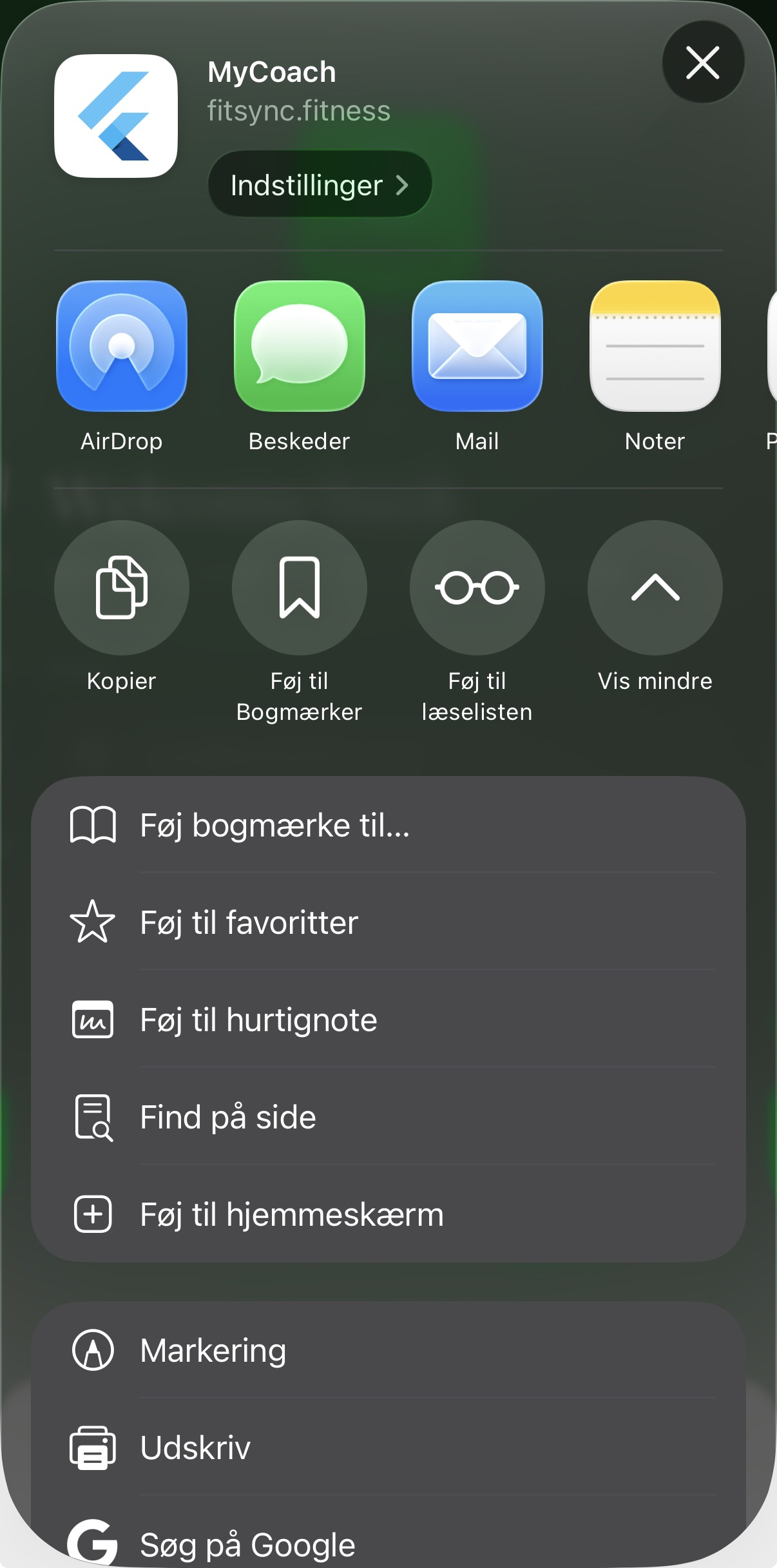
The full share sheet slides up — first a row of apps (AirDrop, Messages, Mail, Notes), then a list of actions. Scroll the list until you see the + row labelled "Add to Home Screen" — Føj til hjemmeskærm in Danish. Tap it.
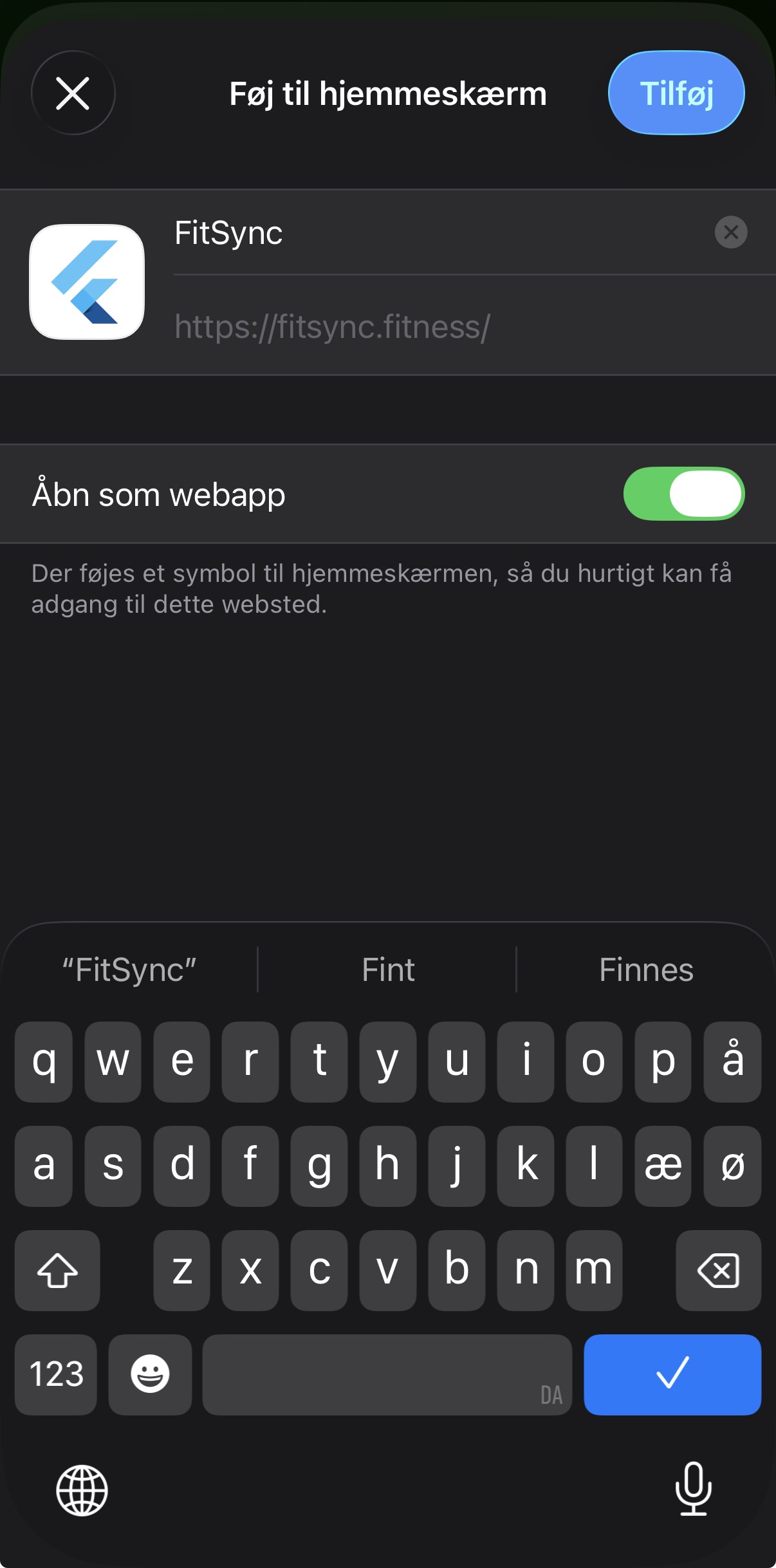
A confirmation dialog shows the FitSync icon and URL. You can rename it (most people don't). Tap the blue Add pill in the top-right corner — Tilføj in Danish. The sheet closes, you'll see your home screen — and FitSync is there as a real app icon.
FitSync now lives on your home screen alongside every other app. No browser chrome. No URL bar. Just FitSync, full screen, every time you tap it. Works offline. Syncs the moment you're back online.
Chrome detects FitSync is installable and offers a one-tap Install banner. If you miss it, the menu has the same option.
When you visit fitsync.fitness in Chrome, a banner appears at the top: "Install FitSync". Tap it, confirm — and FitSync is on your home screen and in your app drawer.
Missed the banner? Tap the ⋮ icon in the top-right of Chrome, scroll to "Install app", and tap it. Same result — FitSync joins your app drawer and home screen.
You're in. Here's what to do first. Four screens, one minute, and FitSync starts learning your numbers.
Email + password. Or one-tap with Google. Existing FitSync user? Your data is already there.
Current weight, goal weight, daily calorie target. Done in three sliders.
Search "chicken breast" or scan a barcode. One meal in. The daily card fills up before your eyes.
Type "What should I eat to hit my goal?" — MyCoach reads your day and replies with the macro plan.
Already on a phone? You're 10 seconds away.
The whole team is one person right now. Email mattyofttraining@gmail.com and you'll get a real reply, usually same day.